The promise of AI video generation often feels like magic. You type “a cat surfing,” and a clip appears. But if you’ve ever tried to make a cohesive film, you know the illusion quickly breaks. The cat grows two tails, or the style shifts randomly.
The reality? Creating professional-grade AI video isn’t about a single magical prompt; it’s about mastering a strategic workflow.
If you are ready to move from a passive prompter to an active director, here are the 5 strategic shifts you need to make.
1. The Best Method is Image-to-Video (Not Text-to-Video)
Most beginners assume the “holy grail” of AI video is typing a text description to generate a clip from scratch (Text-to-Video). Pros know this is actually the worst way to work.
Why? Lack of control.
To achieve professional consistency, you should always use Image-to-Video. By starting with a precisely crafted still image (using tools like Midjourney), you lock in character design, lighting, and composition before adding motion. This is the secret to maintaining brand consistency and narrative control.
2. Embrace the “Full Production” Workflow
There is no “one-click” button for a great movie. AI filmmaking mirrors traditional production but uses a new digital toolkit. A professional workflow looks like this:
- Idea & Scripting
- Style & Storyboarding
- Image Generation (The foundation)
- Audio & Sound Design (Eleven Labs)
- Video Generation (Adding motion)
- Editing & Upscaling

Huion Kamvas 13 Gen 3
3. Creation is a Conversation, Not a Command
A great AI video is rarely a “one-shot” success. It is an iterative loop. Using tools like Sora, you might generate a scene of stormtroopers in an office, only to find the office is empty. You don’t start over; you “remix.” You adjust the prompt strength and converse with the AI until the scene matches your vision. The game isn’t just prompting; it is adjusting.
4. Know Your AI’s Strengths and Weaknesses
To avoid frustration, you must understand what current models can and cannot do.
- Strengths: Fantasy concepts, surreal combinations (a monkey with antlers), and abstract art.
- Weaknesses: Text generation (often garbled), complex physics (objects melting), and realistic crowd details.
5. The Era of “Computer-First” Filmmaking
The barriers to entry have crumbled. You no longer need expensive cameras, large crews, or location permits. We have entered the era of Computer-First Filmmaking.
This paradigm shift democratizes production, allowing anyone with a creative vision and a computer to tell cinematic stories. The only limit left is the scope of your imagination.
3 AI Video Tips You Can Use Right Now
Want to instantly improve your output? Here are three tactical tips derived from professional workflows:
- Tip #1: The “Remix Strength” Secret
When using tools like Sora or Runway, pay attention to the “Remix Strength” slider.- Use Low Strength to fix small details (like adding a tie to a suit) without changing the character.
- Use High Strength to change the environment while keeping the composition drastically.
- Why? This prevents the AI from hallucinating unwanted changes in a scene you already like.
- Tip #2: Don’t Prompt Text—Add It Later
Current AI models struggle to render readable text. Instead of fighting the prompt, generate a “clean” background video and overlay your text using traditional editing software like CapCut. - Tip #3: The Upscale Hack
AI video generators often output low-resolution clips. Never publish raw footage. Make “Upscaling” (using tools like Topaz Video AI) a mandatory final step to make your clips look 4K crisp.
4 The Missing Piece: Professional Audio
Visuals might capture attention, but audio holds it. A common mistake beginners make is creating stunning 4K AI video but leaving it silent or using generic stock music. Sound is 50% of the cinematic experience.
To make your videos feel truly professional, you need high-quality voiceovers. Tools like Eleven Labs have revolutionized this step. Instead of hiring expensive voice actors, you can use Eleven Labs to generate hyper-realistic, emotionally rich AI voiceovers in seconds. Whether you need a gritty narrator or a soft-spoken character, adding professional audio is the fastest way to elevate your production value.
Ready to Master the Tools?
Reading about the workflow is one thing; doing it is another. If you want a step-by-step guide to mastering the latest tools like Sora, Veo, and Runway, invest in your education today.
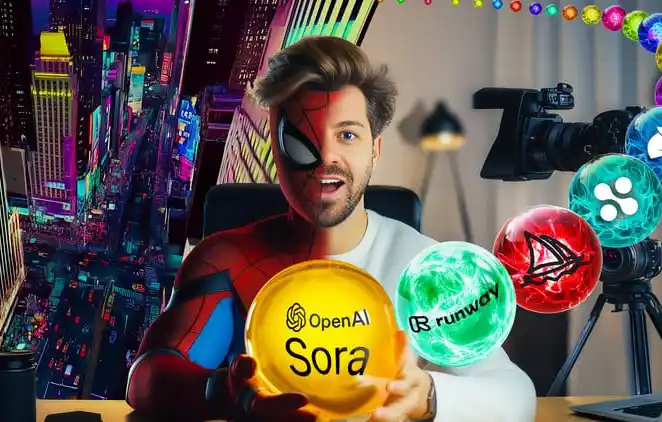
Join the “AI Video School Complete Beginner to Pro: Veo3 Sora 2 & More” on Udemy