
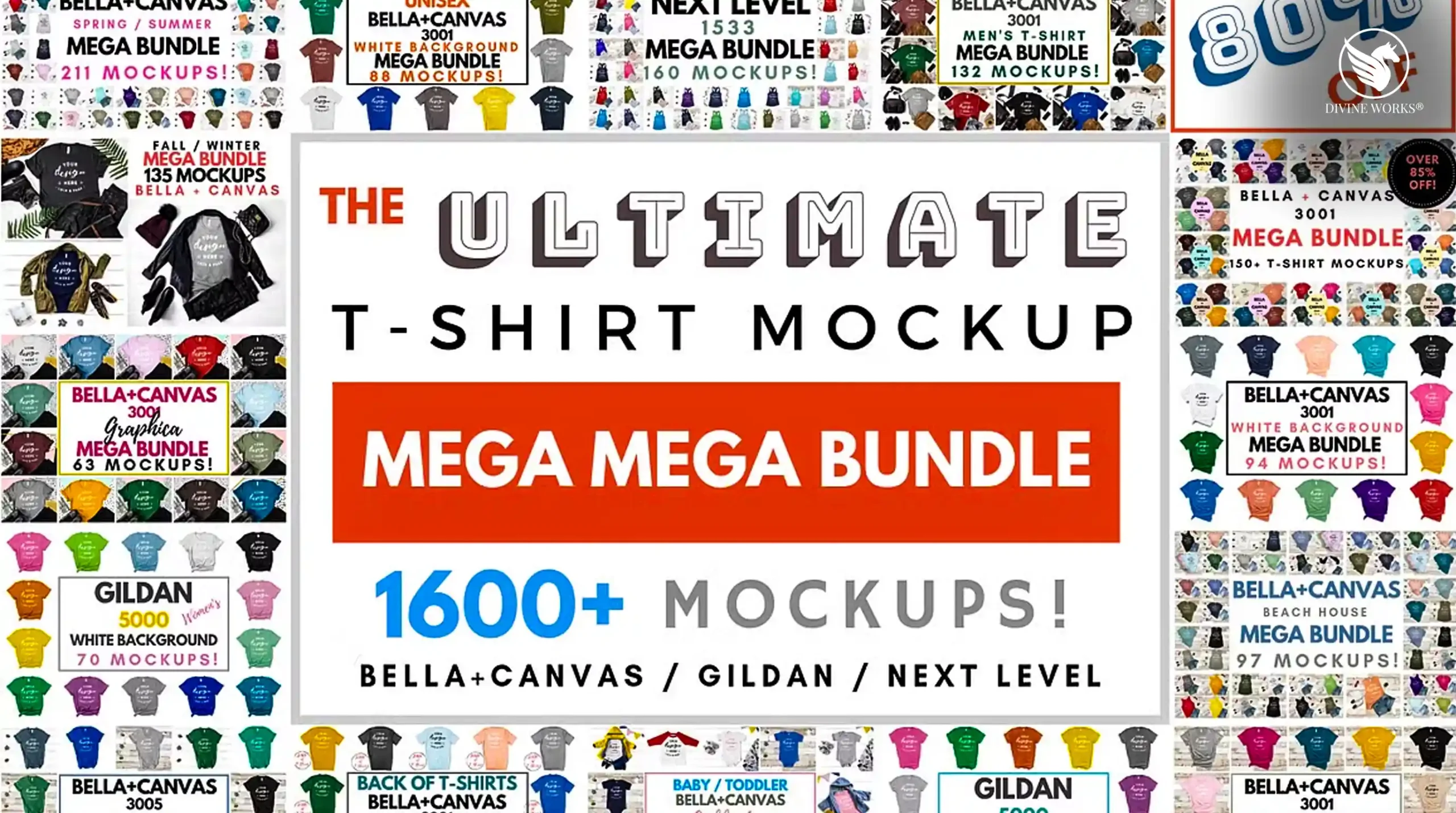
If you sell designs on Etsy, run a print-on-demand store, or create brand merchandise for clients, you already know the problem: you need your designs to look real before you have a single physical product in hand. That means mockups. Lots of them. The Ultimate T-Shirt Mockup Mega Bundle by Lock & Page on Creative Market solves that permanently — 1,600+ premium apparel mockups, one purchase, done.
What Is the Ultimate T-Shirt Mockup Mega Bundle?
Created by Lock & Page — one of Creative Market’s most established mockup designers — this bundle is exactly what the name promises: the most complete apparel mockup collection available in a single download. Over 1,600 individual high-resolution mockup files covering men’s, women’s, and children’s styles across three of the most popular blank apparel brands: Bella Canvas, Gildan, and Next Level.
Every mockup is photographed on real models in real locations, at 300 DPI resolution, with smart object layers for effortless design placement in Photoshop.
Software required: Adobe Photoshop (for smart object placement). Files are provided in .PSD format. No Photoshop? Many files are also compatible with Affinity Photo and Photopea (free browser-based alternative).
Who Is This For?
- Etsy sellers who need professional product listings without owning physical inventory
- Print-on-demand designers selling on Redbubble, Printful, Printify, Merch by Amazon, or Teespring
- Brand designers presenting merchandise concepts to clients before production
- Social media managers creating lifestyle content for fashion or streetwear brands
- Graphic designers building apparel design portfolios
- E-commerce store owners who need consistent, professional product imagery
What’s Inside the Bundle
| Spec | Details |
|---|---|
| Total mockups | 1,600+ |
| Apparel brands | Bella Canvas, Gildan, Next Level |
| Model types | Men, Women, Children |
| Environments | Studio, lifestyle, outdoor, flat lay, ghost mannequin |
| Resolution | 300 DPI — print ready |
| File format | .PSD with smart object layers |
| Compatibility | Photoshop, Affinity Photo, Photopea |
| Licence | Commercial use included |
| Price | $49 one-time |
Pros & Cons
Pros
- 1,600+ mockups — the most complete bundle available
- Real model photography — not CGI renders
- Covers the 3 most popular print-on-demand blank brands
- 300 DPI — suitable for print and digital listings
- Smart object layers for fast, accurate design placement
- Commercial licence for Etsy and client work
- One-time price — no subscription
Cons
- Requires Adobe Photoshop for full functionality
- Large file download — requires sufficient storage
- Apparel-only — no accessories or non-clothing items
5 Ways Designers Are Using This Bundle
Etsy Print-on-Demand Listings
Drop your design into a lifestyle mockup with a real model, export it, and upload it as your Etsy product photo. Buyers see exactly how the shirt looks worn — conversion rates improve dramatically over plain flat templates.
Client Merchandise Presentations
Present branded merchandise to clients before spending a cent on production. Show the logo across multiple colourways, male and female cuts, and indoor vs outdoor scenes — all in one client deck.
Social Media Content for Clothing Brands
Create a week’s worth of lifestyle content for a fashion brand’s Instagram without a single photoshoot. Rotate through different model shots, backgrounds, and colour options to keep the feed fresh.
Merch by Amazon & Redbubble Listings
Amazon and Redbubble listings with lifestyle imagery significantly outperform plain product photos. Use the bundle’s ghost mannequin and flat lay shots for clean product views, and lifestyle shots for the secondary images.
Portfolio Work & Design Showcases
Every graphic designer needs a portfolio. Present your apparel designs on realistic mockups rather than plain white shirts — the difference in perceived quality is enormous when clients are evaluating your work.
Frequently Asked Questions
Do I need Photoshop to use these mockups?
Photoshop is recommended for full smart object functionality. However, the .PSD files are also compatible with Affinity Photo and Photopea — a free, browser-based Photoshop alternative that handles smart objects well.
Can I use these on Etsy and print-on-demand platforms?
Yes — the commercial licence covers use in product listings on Etsy, Redbubble, Merch by Amazon, Printful, Printify, and similar platforms. You can also use them in client presentations and deliverables.
What apparel brands are included?
Bella Canvas, Gildan, and Next Level — the three most commonly used blank t-shirt brands in print-on-demand. If you sell on Printful or Printify, these are exactly the blanks your customers’ orders will be printed on.
Are these real photos or CGI renders?
Real photography on real models. This is a key differentiator — CGI renders often look artificial in product listings and reduce buyer confidence. Real model photography converts significantly better.
How do I place my design onto the mockup?
Open the .PSD file in Photoshop, double-click the smart object layer (usually labelled “Place Your Design Here”), paste or open your artwork, save, and close. Your design appears perfectly fitted to the garment automatically.
The Bottom Line
For anyone selling apparel designs — whether on Etsy, Redbubble, Merch by Amazon, or for branding clients — professional mockups are not optional. They’re the difference between a listing someone trusts and one they scroll past.
The Ultimate T-Shirt Mockup Mega Bundle gives you 1,600+ real-photography mockups across the three most popular blank brands, all with commercial licensing, for a one-time $49. That works out to about 3 cents per mockup. There is no more cost-effective way to build a complete apparel mockup library.
If you create apparel designs for any purpose, this bundle belongs in your toolkit.