

Keymecher MANO Wired Touchpad fully supports Microsoft Windows gestures and made with an ultra-smooth & comfortable touch surface to let your finger do the clicking, scrolling, swiping, and pinching to zoom easily.
Hyper Responsive Tracking for Multi-Gesture Controls
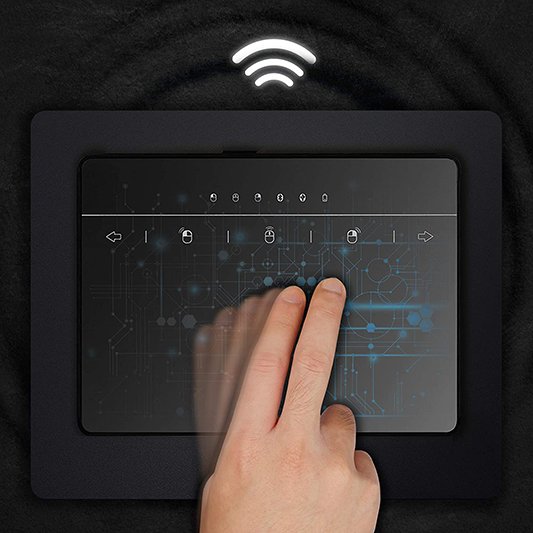
- Support with a full set of gestures, it provides easy and natural control of your windows computer: click, scroll, drag and swipe through online pages.
- MANO wireless touchpad embedded Left/Middle/Right mouse buttons that work the exact same functions as a traditional mouse. It allows you to select a text/document and effortlessly drag through large areas without giving it too much pressure.
- Left/Right border wheels on both sides for you to easily one-finger scroll through pages with very intuitive and sensitive controls.
- Gestures Control, Cursor-Speed, and Scrolling settings are available in Windows 10. Please refer to the instructions.
Bluetooth and Micro USB Terminal Connections
The Bluetooth supports only Windows 10. When it is connected, the system will automatically be recognized as a “MANO-703 Touchpad”.
- Power on the touchpad.
- Press and hold the pairing key for 4 seconds.
- Add Bluetooth to your device.
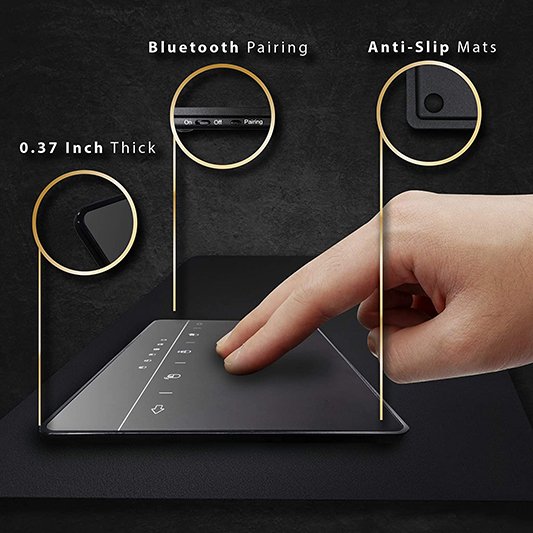
Only 0.37 inch Thick for Portable Usage:
- Ultra-thin and lightweight type with a thickness of about 0.37 inch (9.5 mm) and weight of about 0.20 lb (91 g). Since it can be stored quickly in a pocket of a bag, it is a size that does not get in the way even if you carry it with a laptop.
- The anti-slip mats mounted on the back of the trackpad are also a plus for easy operation.