Best Photoshop Courses on Udemy
Photoshop is the industry-standard tool for photo editing, graphic design, retouching, and digital art creation. However, finding a course that actually teaches you how to use it — rather than just clicking through menus — takes time. This guide covers the best Photoshop courses on Udemy right now, compared by skill level, content depth, instructor credentials, and value for money.
Udemy regularly runs sales that bring most of its courses down to $15–$20, making it one of the most affordable ways to properly learn Photoshop in 2026. Moreover, all the courses below include lifetime access — so you can revisit specific sections whenever you need a refresher. Whether you’re a total beginner or a graphic designer looking to sharpen your retouching and AI skills, there’s a course here that fits.
The 3 Best Photoshop Courses on Udemy Right Now
Ultimate Photoshop Training: From Beginner to Pro + AI — Chris Barin
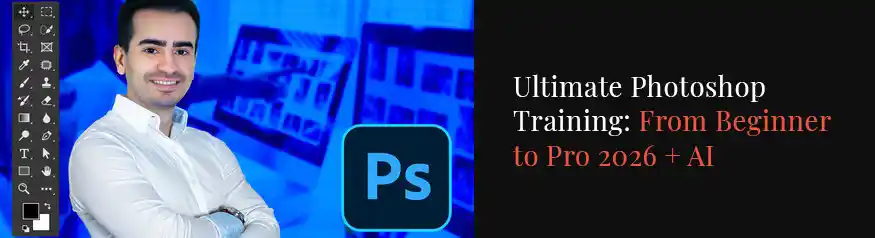
Overall, this is the best Photoshop course on Udemy for the vast majority of learners. Chris Barin is an Adobe Certified Instructor and Certified Photoshop Expert with nearly 10 years of experience — and his teaching style is immediately recognisable for one reason: minimal effort, maximum results. Furthermore, every lesson is focused on getting something done rather than covering theory for its own sake.
The course covers everything from Photoshop’s interface and layer management, through to advanced techniques like pen tool mastery, photo manipulation, retouching portraits, designing business cards, and creating app icons. Importantly, it also covers the latest AI features — background removal in one click, Generative Fill, removing unwanted objects, and adding new elements by typing what you want. These tools have changed how designers work in 2026, and this course covers them properly.
With over 270,000 students enrolled and cheat sheets for every single lecture, this course has built one of the strongest student communities on the platform. The instructor typically responds to questions within 12 hours, which is exceptional for Udemy. In addition, the course includes exercises, challenges, and projects so you’re learning by doing rather than watching.
Best for: Beginners who want a structured, complete Photoshop education with AI tools covered. Also ideal for intermediate users who want to fill gaps and work faster.
- Complete beginner to confident Photoshop user
- Graphic designers wanting to learn AI-powered editing
- Freelancers designing logos, business cards, and social media
- Etsy sellers creating digital products and Canva-compatible graphics
- Anyone wanting practical skills, not just theory
Learning Photoshop is one of the most transferable design skills you can have in 2026. Consequently, it opens doors to freelance retouching, Etsy digital product creation, brand design work, and social media content that stands apart from everything built purely in Canva. The courses below take very different approaches — one is tailored to the 2026 AI update, and the other is built around creative real-world projects.
Adobe Photoshop Masterclass 2026 — From Beginner to Pro
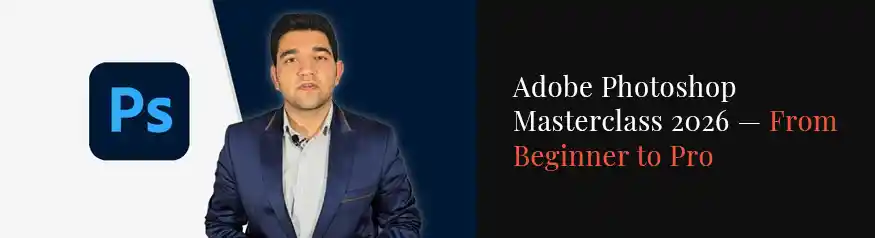
If you want a course that reflects the very latest version of Photoshop — including the 2025–2026 AI updates — this masterclass is the most current option available on Udemy. Created by The Takeoff College and Nima Ghasemi, it was last updated in November 2025 and covers tools and workflows that older bestselling courses have not yet caught up with.
The course starts from the very beginning — explaining Photoshop’s interface, document settings, and basic tools — before progressing through layers, selections, masks, smart objects, and adjustment layers. Additionally, it covers design projects for social media posts, flyers, and web assets, which makes it particularly relevant for graphic designers and Etsy sellers creating digital products. The pacing is well-structured: each section builds on the last, so there is no confusion about what to learn next.
At 2 hours 15 minutes of focused, straight-to-the-point content, this course suits learners who want a clean, efficient path through Photoshop fundamentals without padding. Moreover, since it was built for Photoshop in 2026, all the interface screenshots and tool locations match what you will actually see on screen when you open the programme today.
Best for: Beginners who want the most up-to-date Photoshop training available, and designers who need to quickly get productive in the 2025–2026 version of the software.
- Learning Photoshop’s updated 2025–2026 interface and tools
- Designing social media graphics and flyers from scratch
- Understanding smart objects, masks, and adjustment layers
- Etsy sellers creating printable art and digital products
- Quick, focused learning without hours of filler content
Both courses above take a traditional structured approach to learning Photoshop. However, some designers — especially those who already have a little experience — learn better through creative projects rather than step-by-step curricula. The third course is built for exactly that type of learner.
Ultimate Adobe Photoshop CC Mastery Class: Basic to Pro + AI
This course takes a project-driven approach to learning Photoshop — rather than working through individual tools in isolation, you build real designs from start to finish. As a result, by the end of the course you have a portfolio of completed work, not just knowledge of which buttons do what. This approach is particularly effective for visual learners and creative professionals who become disengaged by purely technical instruction.
The curriculum covers Photoshop fundamentals alongside the newest AI-powered features, including Generative Fill, Generative Expand, and the Remove Object tool. Furthermore, the course is structured so that each new technique is applied immediately in a project — which means you are practising in context rather than completing isolated exercises. Sections cover photo compositing, digital illustration, typography design, photo retouching, and creating graphics for print and digital use.
This course works particularly well for Etsy sellers and graphic designers who want to use Photoshop for client work and digital product creation from day one. In addition, because the AI tools are integrated throughout rather than tacked on at the end, you learn how to combine traditional Photoshop skills with the newer generative features in the way professional designers actually work.
Best for: Creative professionals and Etsy sellers who want to learn Photoshop through real projects, and designers who want AI tools baked into the workflow from the start.
- Learning through complete real-world design projects
- Photo compositing and advanced image manipulation
- Integrating Photoshop AI tools into a creative workflow
- Building a design portfolio while you learn
- Graphic designers and Etsy sellers creating client-ready work
Compare All 3 Photoshop Courses at a Glance
All three of these Photoshop courses on Udemy are solid choices — but they suit different types of learners. Therefore, use the comparison table below to choose the one that fits your current skill level and learning style.
| Course | Best For | Skill Level | AI Tools | Instructor |
|---|---|---|---|---|
| Ultimate Photoshop Training Best Overall | Beginners & intermediates wanting a complete education | Beginner → Advanced | ✅ Yes | Adobe Certified Instructor |
| Photoshop Masterclass 2026 | Learners who want the most up-to-date 2026 content | Beginner → Intermediate | ✅ Yes | The Takeoff College |
| Photoshop CC Mastery Class | Creative designers who learn through projects | Beginner → Pro | ✅ Yes | Project-based specialist |
Why Photoshop Is Still Worth Learning in 2026
With so many no-code design tools available — Canva, Adobe Express, Figma — it is reasonable to ask whether learning Photoshop is still worth the effort in 2026. The answer is yes, for three clear reasons.
First, Photoshop remains the only tool that gives you complete pixel-level control over images. Consequently, any work involving photo editing, retouching, compositing, or manipulation still requires Photoshop skills that Canva simply cannot replicate. Second, Photoshop’s new AI features — Generative Fill, Remove Tool, and Generative Expand — have made complex tasks that previously took hours achievable in minutes. Designers who know how to direct these tools effectively are significantly more productive than those who do not. Third, for Etsy sellers creating digital downloads, printable art, or mock-up templates, Photoshop PSD files remain the standard format that buyers expect.
Furthermore, learning Photoshop opens up complementary skills in Adobe Illustrator, Lightroom, and After Effects — all of which share the same interface logic and keyboard shortcuts. As a result, the time you invest in Photoshop pays dividends across the entire Adobe ecosystem.
How to Get Udemy Courses at the Lowest Price
Udemy’s pricing model can be confusing at first. However, the key thing to know is that almost every course goes on sale regularly — typically down to $15–$20 regardless of the listed full price. Moreover, Udemy often sends new users a welcome discount within the first few hours of creating an account, which can bring courses down to as little as $12.
Additionally, if you are enrolled in higher education or work at a company with a learning budget, Udemy Business gives access to thousands of courses for a flat monthly fee. Either way, there is no reason to pay the full listed price for any of the courses in this guide.
Not sure which course to start with?
If you’re a complete beginner, go with the Ultimate Photoshop Training by Chris Barin — it’s the most comprehensive option and taught by an Adobe Certified Instructor. You can always come back to the other courses later as your skills develop.
View the #1 Pick on Udemy →More Online Design Courses at DivinеWorks
If you found this guide useful, the following posts cover the best Udemy courses in other popular design tools used by graphic designers and Etsy sellers.
- Best Canva Courses on Udemy — from beginner to advanced Canva Pro skills
- Best Illustrator Courses on Udemy — vector design, logo creation, and illustration
- Best Procreate Courses on Udemy — digital illustration for iPad
- Graphic Design Tips for Beginners — principles every new designer should know
Frequently Asked Questions
Which Photoshop course on Udemy is best for complete beginners?
The Ultimate Photoshop Training: From Beginner to Pro + AI by Chris Barin is the best overall choice for beginners. It starts from absolute zero — no prior experience required — and progresses to a professional level through clear, project-focused lessons. The instructor is an Adobe Certified Instructor with 270,000+ students, and he typically responds to student questions within 12 hours, which is very helpful when you are just starting out.
Do these Udemy Photoshop courses cover Photoshop’s AI features?
Yes — all three courses in this guide cover Photoshop’s AI-powered features. This includes Generative Fill (adding or replacing parts of an image using text prompts), the Remove Tool (removing people or objects with one click), Generative Expand (extending the canvas beyond the original image), and background removal via the Remove Background button. These AI features have become central to how designers use Photoshop in 2025–2026, so covering them is now a requirement for any up-to-date course.
How much do Photoshop courses on Udemy typically cost?
Udemy courses are frequently on sale. While listed prices can appear high, almost every course drops to $15–$20 during Udemy’s regular promotional sales, which happen multiple times per month. New Udemy accounts often receive an additional welcome discount. All three courses in this guide fall into this price range when on sale, making them very affordable for the volume of content they provide. Importantly, Udemy courses include lifetime access — so you pay once and can revisit the content indefinitely.
Is Photoshop worth learning if I already use Canva?
Yes — Photoshop and Canva serve different purposes. Canva is excellent for quick social media graphics, presentations, and templated designs. However, Photoshop is the better tool for photo editing and retouching, creating PSD mock-up files for Etsy, exporting 300 DPI print-ready files, building layered graphics with precise pixel control, and using AI features like Generative Fill for complex image manipulation. Most professional graphic designers and Etsy sellers who create digital products use both tools — Canva for speed, Photoshop for quality and flexibility.
Do I need a subscription to Adobe Photoshop to take these courses?
Yes — you will need access to Adobe Photoshop to follow along. Adobe offers a 7-day free trial of Photoshop as part of the Creative Cloud subscription, which is enough to get started. After the trial, the Photography Plan (Photoshop + Lightroom) is the most affordable option and is available at a student discount if you are in education. The Chris Barin course specifically walks you through how to install Photoshop and access the free trial in the first few minutes of the course.