Best Drawing Tablets for Beginners on Amazon 2026 (Tried & Tested)
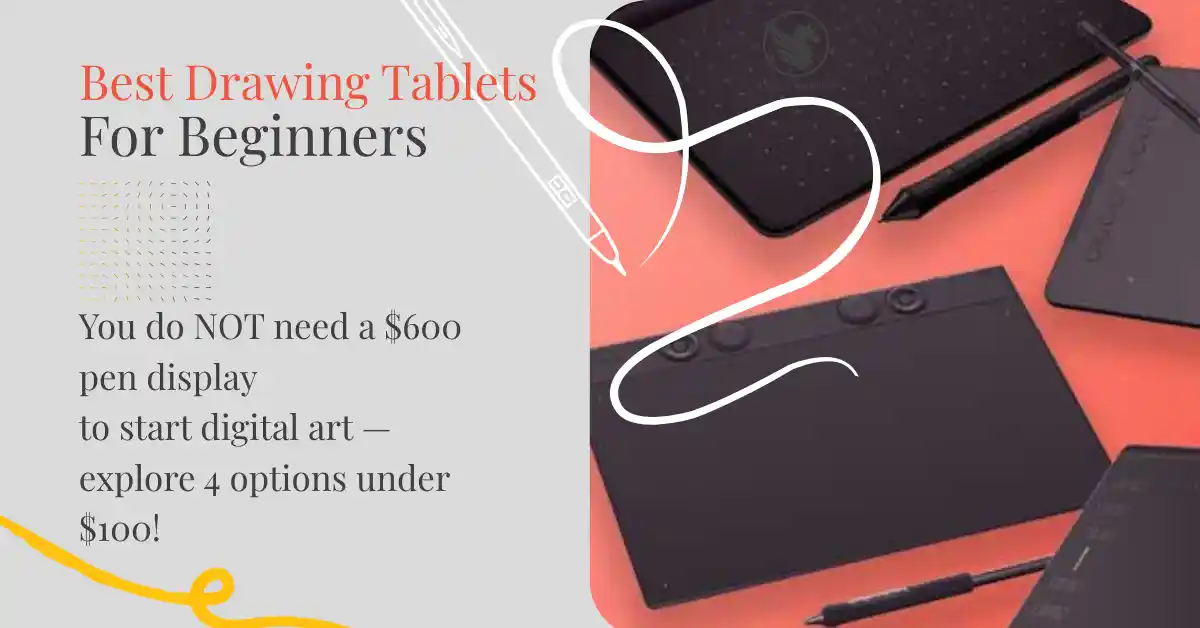
Most beginners assume they need a $500 pen display to start creating digital art. They don’t. A basic drawing tablet — a flat pad with a stylus and no screen — is all you need to get started with Procreate, Photoshop, Illustrator, or Canva. These four are the best drawing tablets for beginners on Amazon in 2026, all under $100, all compatible with every major design tool.
Whether you’re an Etsy seller creating digital products, a beginner graphic designer, or someone who wants to hand-letter digitally, a drawing tablet changes what’s possible in your workflow. In this guide, we cover the top picks at each price point so you can choose the right one without overspending.
The 4 Best Drawing Tablets for Beginners on Amazon
Wacom Intuos Small — Best Overall Beginner Tablet
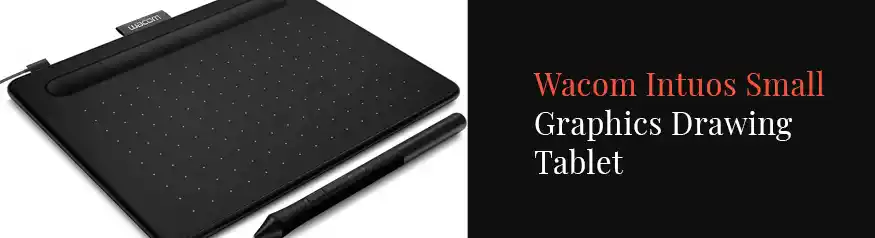
Overall, the Wacom Intuos Small is the most recommended drawing tablet for beginners — and for good reason. Wacom has been the industry standard for over 20 years, and even the entry-level Intuos comes with 4,096 levels of pressure, a battery-free stylus, and Bluetooth so there’s no cable to manage at your desk.
In addition, Wacom includes four free creative apps with every Intuos purchase — including Corel Painter Essentials and Clip Studio Paint — which means you can start making digital art the same day it arrives without buying any extra software.
Best for: Etsy sellers creating digital stickers, clipart, or hand-lettered products. It’s also a great choice for anyone just starting out with digital art who wants a reliable, well-supported tablet.
XP-Pen Deco 01 V2 — Best Value Drawing Tablet
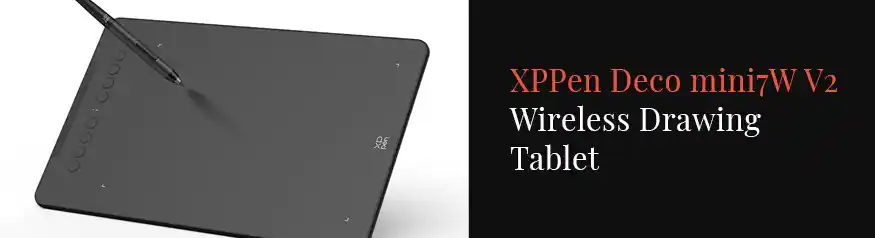
In contrast, the XP-Pen Deco 01 V2 offers more for less. For around $69, you get 8,192 levels of pressure — double what the Wacom Intuos Small provides — plus a much larger drawing area (10 × 6.25 inches vs Wacom’s 6 × 3.7 inches). As a result, it’s a strong choice for anyone who finds small drawing surfaces frustrating.
Furthermore, the Deco 01 V2 works with Android devices as well as Mac and Windows, so you can use the same pen on multiple devices. Importantly, driver support has improved a lot since 2024 and it now works well with Photoshop, Illustrator, Clip Studio Paint, and Krita.
Best for: Beginners who want more drawing space and higher pressure sensitivity at a lower price. Also ideal for Etsy sellers creating detailed digital illustrations or patterns.
Huion H610PRO V2 — Best Budget Large Tablet
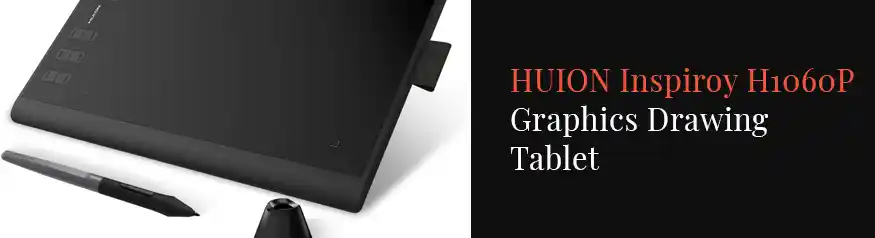
The Huion H610PRO V2 is one of the best-selling drawing tablets on Amazon for a simple reason: it gives you 8,192 levels of pressure, a large 10 × 6.25 inch drawing area, and 10 shortcut keys — all for around $59. In fact, it’s hard to find more features at this price anywhere else.
However, where Huion keeps costs low is in build quality and driver stability. The tablet feels slightly less solid than Wacom, and driver updates can sometimes cause small issues on Windows. That said, for the price, most beginner digital artists will never notice the difference in daily use — especially if you mainly use Krita, Photoshop, or Clip Studio Paint.
Best for: Beginners on a tight budget who still want professional specs. Also ideal for students and hobbyists who want a large drawing surface without the higher price of XP-Pen or Wacom.
Wacom Intuos Medium — Best Upgrade Pick
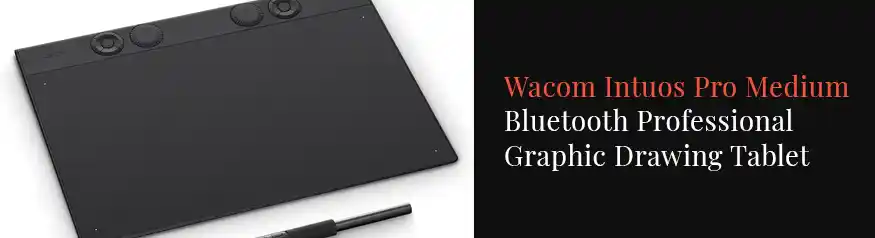
If you’re serious about digital art and want a tablet that will last for years, the Wacom Intuos Medium is the right choice. The larger drawing area (8.5 × 5.3 inches) makes a real difference for detailed work, and the Wacom build quality means it will still feel solid two or three years from now.
Moreover, the Wacom Intuos Medium comes with the same four free creative apps as the Small model and still connects via Bluetooth. In fact, at $99 it costs only $20 more than the Small, which makes it the better long-term buy for anyone who plans to use their tablet often for Etsy products, client work, or personal art projects.
Best for: Beginners who are serious about improving and don’t want to upgrade again in 12 months. Also ideal for Etsy sellers who create detailed patterns, digital artwork, or hand-lettered designs professionally.
Quick Comparison: All 4 Drawing Tablets
| Tablet | Price | Active Area | Pressure Levels | Best For |
|---|---|---|---|---|
| Wacom Intuos Small Best Overall | ~$79 | 6 × 3.7 in | 4,096 | Beginners, Etsy stickers & clipart |
| XP-Pen Deco 01 V2 | ~$69 | 10 × 6.25 in | 8,192 | Value seekers, detailed illustrations |
| Huion H610PRO V2 | ~$59 | 10 × 6.25 in | 8,192 | Budget buyers, students |
| Wacom Intuos Medium Upgrade | ~$99 | 8.5 × 5.3 in | 4,096 | Serious beginners, long-term use |
Which Drawing Tablet Should You Buy?
The right choice depends on your budget and how you plan to use the tablet. Here’s a simple way to decide:
- Buy the Wacom Intuos Small if you want the most trusted brand name, reliable drivers, and free software included. It’s the safest first tablet and the one most tutorials are written for.
- Buy the XP-Pen Deco 01 V2 if you want more drawing space and higher pressure sensitivity at a lower price. It’s especially good if you find smaller tablets awkward to work on.
- Buy the Huion H610PRO V2 if you’re on the tightest budget and want to check that digital art is something you’ll stick with before spending more.
- Buy the Wacom Intuos Medium if you’re serious about making digital art or Etsy products a regular part of your workflow. The extra space makes a real difference for detailed work.
What to Do After You Buy Your Drawing Tablet
Once your tablet arrives, the next step is learning how to use it well. First, install the official driver from the maker’s website (not just the basic driver Windows or Mac adds on its own — the official driver gives you full pressure control and button settings). Then, open your design software and run a pressure test to make sure everything is working correctly.
After that, practise with simple exercises: draw straight lines at different pressure levels, then curves, then hatching. These basic drills build the hand memory that makes digital drawing feel natural. Most beginners feel awkward for the first week — that’s completely normal. Furthermore, remember that your hand will naturally adjust to drawing on a flat surface while looking at a screen.
For structured skill-building, our guide to graphic design tips for beginners covers the core principles that apply whether you’re using a drawing tablet, Canva, or Illustrator. If you want a course-based approach, the best Adobe Illustrator courses online include specific modules on working with drawing tablets in Illustrator.
Ready for a Pen Display?
Once you’ve outgrown a basic tablet, the Huion Kamvas 22 Gen 3 is the best mid-range pen display on Amazon in 2026. Draw directly on a screen — just like a professional illustrator.
Read the Kamvas 22 Review →Frequently Asked Questions
What is the difference between a drawing tablet and a pen display?
A drawing tablet (like the ones in this guide) is a flat pad with a stylus — you draw on the pad and look at your computer monitor. A pen display has a built-in screen so you draw right on the surface while watching the cursor. Pen displays are easier to get used to but cost much more — typically $200–$600. For beginners, therefore, a standard drawing tablet is the better starting point.
Do drawing tablets work with Canva?
Yes, however Canva’s pressure sensitivity support is limited compared to dedicated drawing software. For most Canva tasks (resizing, moving, adding text), a drawing tablet works as a precision mouse. For actual freehand drawing within Canva, you’ll get better results with Procreate, Photoshop, or Illustrator. That said, many Etsy sellers use a drawing tablet in Canva simply for more precise control over design elements.
Is Wacom better than XP-Pen for beginners?
Wacom has better build quality, more reliable drivers, and stronger long-term software support. In addition, Wacom’s name means most tutorials and courses are written with Wacom in mind. However, XP-Pen offers higher pressure levels at a lower price, so it’s the better value pick if budget is the priority. Both are solid choices — Wacom is the safer long-term buy, XP-Pen gives you more for the money.
More Drawing Tablet Questions
Can I use a drawing tablet for Etsy digital products?
Absolutely. In fact, a drawing tablet is one of the best tools for creating digital products on Etsy. You can use it to draw clipart, hand-lettered quotes, digital stickers, pattern designs, and illustrations that you then export and sell as downloads. The Wacom Intuos Small or XP-Pen Deco 01 V2 are both well-suited for this kind of work.
Do I need expensive software to use a drawing tablet?
No. Both Wacom Intuos models in this guide come with free creative apps included. Moreover, Krita is a fully free drawing app that works well with all four tablets in this guide. If you later want to buy software, Adobe Illustrator and Clip Studio Paint are the most popular paid options among digital artists and Etsy sellers. Our roundup of the best Adobe Illustrator courses online is a good starting point if you decide to go the Adobe route.
Final Thoughts
The best drawing tablet for beginners is the one you’ll actually use. For most people, that means starting with the Wacom Intuos Small — it’s reliable, well-supported, comes with free software, and covers everything a beginner needs. If you want more space at a lower cost, the XP-Pen Deco 01 V2 is the better value. And if you’re on the tightest possible budget, the Huion H610PRO V2 gets the job done.
Whatever you choose, remember that the tablet is just the tool — the skill comes from practice. Start simple, draw every day, and you’ll be creating digital products worth selling on Etsy within a few weeks.