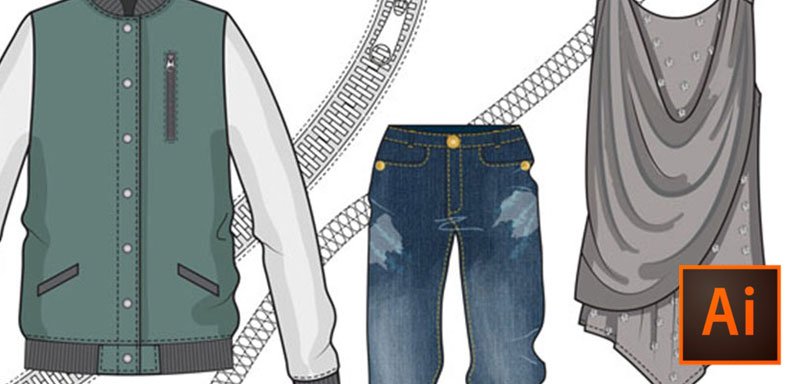
Illustrator training specifically tailored for fashion designers…
Learn how to use Adobe Illustrator to draw fashion flats. Develop your skills to enable you to produce creative, accurate product designs quickly and to standards required for retail and manufacturing.
In this intermediate level 2 course, you will learn further tools and features that take your fashion flats from basic to detailed and professional.
Learn the essential skills required by the fashion industry
Having spent over a decade implementing and training software technologies into fashion brands and retailers across the globe, I spent a lot of time working with the designers. Over the years there seemed to be a common theme in the design room – lots of designers were using Illustrator well but many either couldn’t use it at all or couldn’t use it very well. They also didn’t adhere to any drawing standards or best practices so had problems such as not being able to easily edit each other’s drawings, create colorways quickly or create reusable components properly, making them inefficient.
Illustrator 4 Fashion training has been specifically tailored for fashion, with the needs of the industry in mind. The training can be taken by company design employees, freelance designers, fashion design students and anyone else looking to learn or improve their fashion drawing with Adobe Illustrator.
View free videos of this course
Course Overview
Most Adobe Illustrator manuals and online training courses are industry generic with many modules not relevant to fashion drawing. It can be hard to know which features to learn and how to develop techniques to draw professional fashion designs. Illustrator 4 Fashion only teaches you the features and techniques relevant to drawing fashion flats, illustrations and garment components.
The Illustrator 4 Fashion course is split into 3 levels; beginner, intermediate and advanced. This level 2 intermediate course is aimed at students that have a basic working knowledge of fashion drawing with Adobe Illustrator. This course builds on the foundations learned in Level 1, progressing to more advanced skills and techniques to bring fashion flats to life. Students will learn how to build powerful trim and brush libraries to improve design efficiency and accuracy. Level 2 also looks more in-depth at the use of color, patterns, fabric fills and embellishments, to add dynamism and realism to drawings. The final section of this course features a selection of garment drawing tutorials, putting the skills and techniques learned in the first part of the course into real life practice.
Every lecture includes supporting Illustrator work files so that students can follow the lecture exactly.
Ditch the subscriptions! We review the best free graphic design software, including top Adobe alternatives…
Ditch the subscriptions! We review the best free graphic design software, including top Adobe alternatives…
The advent of artificial intelligence has significantly amplified the capabilities of content creators, particularly through…
Understanding the Purpose of TV Commercials TV commercials serve multiple purposes that are vital to…
AI video generation is not possible without a proper AI Video Workflow. Often, it feels…
Discover the best digital art toolkit for 2026. We review why Clip Studio Paint and…