
7 Best Procreate Alternatives for Windows in 2026 (Software + Hardware Guide)
If you are searching for the best Procreate alternatives for Windows, you already know the frustration. Procreate is one of the most beloved drawing apps in the world — yet it runs only on iPad. Windows users are completely left out. Fortunately, the Windows ecosystem has excellent drawing software in 2026, and in many areas, it genuinely matches or exceeds what Procreate offers. This guide covers everything: the top paid app, the best free picks, the right hardware, and even what it costs if you decide to switch to Apple instead.
Why Procreate Is Not Available on Windows
Procreate is built exclusively for Apple’s ecosystem. Specifically, it relies on Apple’s Metal graphics engine and iPadOS features such as Apple Pencil support and multi-touch gestures. As a result, there is no official Windows version — and its developers have not announced one. If you own a Windows PC or Surface device, Procreate is simply not an option without switching to Apple hardware. Moreover, third-party streaming workarounds do exist but none of them replicate the full Procreate experience reliably. The good news is that Windows drawing software has improved dramatically — and the apps below are genuinely excellent alternatives.
What to Look for in a Procreate Alternative for Windows
Before choosing your drawing app, it is worth knowing what actually makes Procreate so popular — and therefore what a good alternative needs to match. The most important factors are brush feel, layer support, tablet compatibility, and workflow speed. Furthermore, if you are an Etsy seller or create art for digital products, commercial licensing support matters too.
Brush Engine
Procreate’s brush engine is exceptionally smooth, with realistic pressure and tilt response. A good alternative should support at least 4,096 pressure levels — though 8,192 is the professional standard in 2026. Additionally, look for brush customisation options so you can dial in exactly the feel you want.
Layer Support and Vector Tools
Procreate supports layers, layer groups, and blend modes. However, it does not support vector drawing natively. Several Windows alternatives — particularly Clip Studio Paint — actually surpass Procreate here by offering vector layers alongside raster ones. This is especially useful for Etsy sellers who need to scale artwork without quality loss.
Drawing Tablet Compatibility
Unlike Procreate, which runs on iPadOS touchscreens, Windows drawing apps run on a desktop or laptop and typically require an external drawing tablet. Consequently, tablet compatibility is an important factor. All the apps below work seamlessly with Huion, Wacom, and XP-Pen tablets.
The 7 Best Procreate Alternatives for Windows in 2026
The following apps represent the full range of options available for Windows digital artists in 2026 — from free, beginner-friendly tools to professional-grade software used by working illustrators and manga creators worldwide.
Clip Studio Paint — Best Overall Procreate Alternative for Windows
Clip Studio Paint is widely regarded as the closest equivalent to Procreate on Windows — and in several key areas, it actually surpasses it. Specifically, it offers vector layer support, thousands of free community brushes via the built-in Assets store, full animation tools, and comic and manga panel layouts that Procreate simply does not have. Furthermore, it runs on Windows 10 and Windows 11, works with every major drawing tablet, and supports 8,192 levels of pen pressure. Many professional illustrators, manga artists, and Etsy digital product creators use Clip Studio Paint as their primary tool. Moreover, a free trial is available with no credit card required — so you can test it with your tablet before committing.
- 8,192 pen pressure levels — matches the best hardware on the market
- Vector layer support — scale artwork without losing quality
- Thousands of free community brushes in the built-in Assets store
- Full animation and frame-by-frame tools in the EX version
- Multi-page comic and manga support (EX version)
- Available on Windows, Mac, iPad, and Android — use across devices
- Free trial available — no credit card needed
Which Clip Studio Paint Plan Should You Choose?
Clip Studio Paint comes in two main tiers. The PRO plan is ideal for illustrators, digital artists, and Etsy sellers — it covers all the core drawing and coloring tools. The EX plan adds animation features and unlimited page support for comic and manga creators. Both plans offer a monthly subscription or a one-time purchase option. Additionally, students and first-time users can access an extended free trial period.
Free Procreate Alternatives for Windows Worth Trying
Not everyone needs a paid app straight away. In fact, several free alternatives deliver a surprisingly strong drawing experience — especially for beginners and hobbyists who are still developing their style. The following four options are all worth downloading before you invest in paid software.
Krita — Best Free Procreate Alternative for Windows
Krita is a completely free, open-source drawing application that holds its own against paid software. It was built specifically for digital painters and illustrators, and as a result, its brush engine is genuinely excellent — with over 100 customisable brush presets and a stabiliser that makes smooth linework easy. Furthermore, Krita supports layers, masks, blend modes, and frame-by-frame animation, making it one of the most capable free drawing tools available on Windows. It is also entirely ad-free and has no hidden fees. Consequently, Krita is the top recommendation for anyone who wants to start drawing on Windows without spending any money.
- Completely free — no subscriptions, no ads, no hidden costs
- 100+ brush presets with full customisation
- Built-in brush stabiliser for smooth, confident linework
- Layer support with blend modes and masks
- Frame-by-frame animation support
- Active community with regular updates
MediBang Paint — Best Free Option for Manga and Comics
MediBang Paint is a free drawing application designed primarily for manga and comic creators on Windows. It includes a large library of comic panel templates, screentones, fonts, and brushes that make structured sequential art fast and approachable. Additionally, MediBang syncs your work across devices via cloud storage — so you can start a drawing on your Windows PC and continue it on another device. However, it does display occasional ads in the free version, which some artists find disruptive during long drawing sessions. Overall, it is a solid free pick for anyone focused on manga, webtoon, or comic-style illustration.
- Free with cloud sync across devices
- Large library of comic panel templates and screentones
- Built-in fonts and speech bubbles for manga creation
- Layer support and blend modes
- Lightweight — runs on older Windows hardware
Adobe Fresco is Adobe’s dedicated drawing and painting app, now available for free on Windows touchscreen devices. Its standout feature is live brushes — watercolor and oil brushes that behave like real paint, with pigment spreading and blending naturally on the canvas. Furthermore, Fresco integrates directly with Photoshop and Illustrator if you have a Creative Cloud subscription. For beginners who want a polished, easy-to-use interface with realistic brush feel, Fresco is an excellent starting point. That said, the free version has limited features — the full brush library requires a Creative Cloud plan. Overall, it is a strong free option for Windows users with touchscreen devices such as the Surface Pro.
Autodesk Sketchbook is a clean, distraction-free drawing app that runs on Windows and is completely free. It is often praised for its intuitive radial menu, smooth brush feel, and minimal interface — which makes it easy to focus on drawing rather than navigating menus. Moreover, it supports layers, blend modes, and symmetry tools, which are genuinely useful for illustrators and pattern designers. Sketchbook does not have the depth of Clip Studio Paint or the brush variety of Krita, but for quick sketching and concept art, it is one of the most comfortable free tools available. Additionally, it works well with Huion and Wacom tablets out of the box.
Paint Tool SAI 2 is a lightweight Windows drawing app that has been a favourite among anime and illustration artists for years. Its brush engine is particularly smooth for linework, and as a result, many digital artists use it specifically for clean, confident line art before colouring in another app. It is significantly cheaper than Clip Studio Paint on a one-time purchase basis and has a small, focused feature set that some artists prefer for its simplicity. However, it lacks animation tools, vector support, and a large asset library — so it works best as a dedicated linework and painting tool rather than a full creative suite.
Rebelle 6 is a unique drawing app for Windows that simulates traditional watercolor, acrylic, and oil paint with remarkable accuracy. If your work involves realistic paint effects — for example, botanical illustration, children’s book art, or fine art prints for Etsy — Rebelle’s natural media simulation is genuinely impressive and unlike anything Procreate offers. It is a niche tool, but for traditional-media-style digital art, nothing on Windows comes closer to the feel of real paint on paper. Consequently, it is worth trying if realistic watercolor and oil textures are central to your artistic style.
Best Drawing Tablet to Pair with Your Windows Software
Software alone is not enough for a comfortable drawing experience on Windows. To draw naturally, you also need a drawing tablet — specifically a pen display, which has a built-in screen so you draw directly on the surface you see. The best option for Windows digital artists in 2026 is the Huion Kamvas 22 Gen 3. For a full breakdown, read our Huion Kamvas 22 Gen 3 review. We also have a detailed Huion vs Wacom comparison if you are weighing up both brands.
Huion Kamvas 22 Gen 3 — Top Hardware Pick for Windows Artists
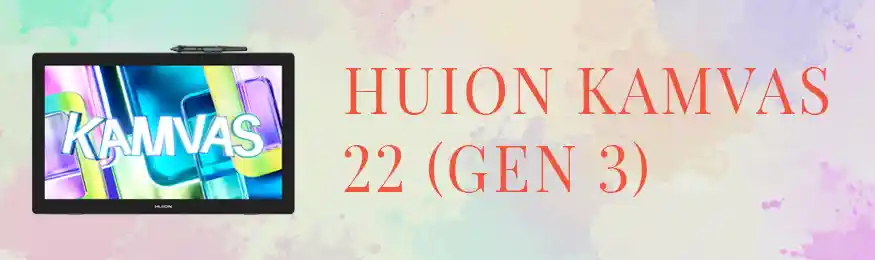
The Huion Kamvas 22 Gen 3 is a 21.5-inch pen display that delivers a large, high-resolution drawing surface for Windows artists. You draw directly on the screen using a battery-free stylus — which makes the experience feel much more natural than drawing on a screenless tablet while looking at your monitor. Furthermore, with 8,192 levels of pen pressure and ±60° tilt recognition, it works perfectly with Clip Studio Paint, Krita, and every other app on this list. The anti-glare etched glass significantly reduces reflections, and USB-C connectivity makes setup straightforward on modern Windows laptops and desktops. As a result, this tablet is our top recommendation for any Windows artist who wants a professional drawing setup without switching to Apple.
- 21.5-inch Full HD IPS display — large, sharp canvas
- 8,192 pressure levels — matches Procreate + Apple Pencil performance
- Battery-free stylus — no charging, no lag
- ±60° tilt recognition for natural shading and hatching
- Anti-glare etched glass — reduces eye strain during long sessions
- USB-C connectivity — plug-and-play on modern Windows devices
Want the Real Procreate? Here Are Your Apple Options
If you have decided that you specifically want Procreate rather than an alternative, you need Apple hardware. There are two paths: an iPad or a Mac. Both run Procreate natively. Moreover, Procreate itself costs just $12.99 as a one-time purchase — so the main investment is the hardware itself.
Apple iPad Pro 13-inch (M4) — Procreate’s Natural Home
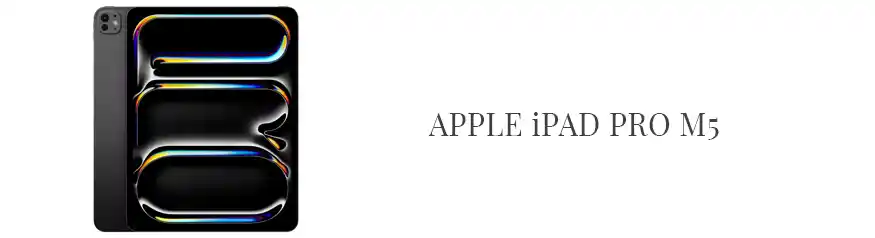
The iPad Pro 13-inch with the M4 chip is the definitive device for Procreate. Procreate was designed from the ground up for iPad, and consequently, the experience feels immediately natural on this hardware. The 13-inch Ultra Retina XDR OLED display delivers outstanding colour accuracy — particularly important for Etsy sellers creating art for print-on-demand products or digital downloads. Furthermore, the M4 chip handles canvases with thousands of layers without any lag, even at large file sizes. This is the setup to choose if portability and a dedicated drawing tablet-style experience are your priorities.
- 13-inch Ultra Retina XDR OLED — stunning colour accuracy for print work
- M4 chip — handles thousands of layers without slowdown
- Apple Pencil Pro compatible — low-latency, pressure-sensitive stylus
- Procreate costs just $12.99 — one-time purchase
- Portable — draw anywhere without a desk setup
Apple MacBook Air 13-inch 2026 (M4) — Procreate on a Laptop
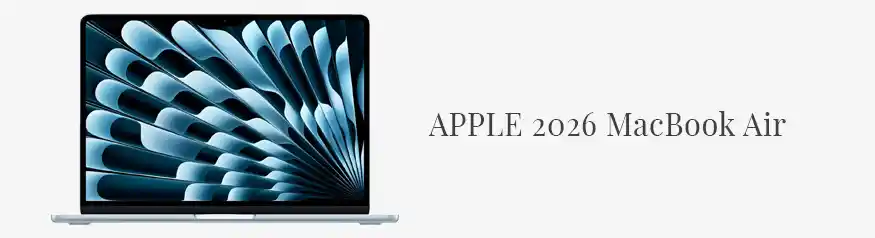
Since Procreate launched its Mac version in 2025, the MacBook Air has become a viable route to the real Procreate experience — on a full laptop. The 2026 M4 model is thin, light, and powerful, with up to 18 hours of battery life. Additionally, it runs Clip Studio Paint, Adobe Fresco, and virtually every creative app alongside Procreate for Mac, so you are not locked into a single tool. If you need a laptop for writing, editing, and drawing — rather than a dedicated drawing tablet — this is the most flexible Apple option available.
- Runs Procreate for Mac alongside Clip Studio Paint and Adobe Fresco
- M4 chip — 10-core CPU and GPU for smooth illustration performance
- 16GB unified memory — handles multitasking between creative apps
- Up to 18 hours battery life — ideal for working on the go
- MagSafe charging and 2x Thunderbolt ports
Do Not Forget External Storage
Digital art files are larger than most people expect. A single high-resolution illustration with many layers can reach 500MB or more. As a result, even a 1TB laptop fills up quickly if you work on multiple projects at once. The Seagate 2TB Portable Drive (~$49–65 on Amazon) is a simple, affordable solution — it is pocket-sized, works with Windows and Mac, and requires no external power. Moreover, it serves as a backup, which protects years of creative work from hardware failure.
Quick Comparison: Every Setup at a Glance
Not sure which direction to go? The table below summarises every setup covered in this guide so you can compare them side by side before deciding.
| Setup | Drawing App | Starting Cost | Procreate? | Best For |
|---|---|---|---|---|
| Windows + Kamvas 22 | Clip Studio Paint | ~$299–350 | ✗ | Budget-friendly professional setup |
| Windows PC only | Krita (Free) | $0 | ✗ | Beginners, hobbyists, zero cost |
| Windows PC only | MediBang (Free) | $0 | ✗ | Manga, comics, lightweight setup |
| Windows touchscreen | Adobe Fresco (Free) | $0 | ✗ | Beginners, live brush painting |
| iPad Pro 13-inch (M4) | Procreate | ~$1,312 | ✓ | Real Procreate, portable drawing |
| MacBook Air 13-inch (M4) | Procreate for Mac | ~$1,099 | ✓ | Full laptop + creative suite |
Which Procreate Alternative Is Right for You?
Every artist has different priorities and a different budget. Therefore, use the decision guides below to quickly identify the best fit for your situation.
Choose Clip Studio Paint + Huion Kamvas 22 if…
You already own a Windows PC, budget is a priority, and you want professional-grade drawing tools. This is the most cost-effective path to a serious digital art setup in 2026 — and it handles everything from illustration to Etsy clipart to comic creation. Furthermore, Clip Studio Paint is available cross-platform, so your skills transfer if you ever switch to Mac or iPad later.
Choose Krita or Fresco if…
You are just starting out and want to develop your drawing skills before investing in paid software or hardware. Both apps are completely free, both work with drawing tablets, and both have enough features to keep you occupied for months. Additionally, Krita in particular has a strong community with tutorials and brush packs — so it is easy to find help and inspiration as you learn.
Choose iPad Pro if…
You specifically want the Procreate app and prefer a portable, touchscreen drawing experience. The iPad Pro is also excellent for Etsy sellers who create art on the go or who already use other Apple devices. However, it is a significant investment — so make sure Procreate’s workflow genuinely appeals to you before committing.
Choose MacBook Air if…
You need a full laptop for multiple creative tasks — writing, editing, designing, and drawing — and want access to Procreate for Mac alongside other apps. The MacBook Air M4 is the most flexible choice in this guide because it runs virtually every creative application available in 2026. Moreover, it pairs well with an external pen display if you want a dedicated drawing surface later.
Frequently Asked Questions About Procreate Alternatives for Windows
In many ways, yes — and in some areas it is actually better. Specifically, Clip Studio Paint offers vector layer support, deeper brush customisation, and comic and manga tools that Procreate does not include. However, Procreate is generally considered more intuitive for beginners and feels more natural on a touchscreen. Overall, for Windows users, Clip Studio Paint is the closest equivalent to Procreate — and a genuinely excellent professional tool in its own right. If you create custom brush bundles or digital products, CSP’s vector tools are especially useful.
No. As of 2026, there is no official version of Procreate for Windows 11. The app is exclusive to iPad and Mac. While third-party streaming workarounds exist, none of them replicate the full Procreate experience reliably. Consequently, the best approach for Windows users is Clip Studio Paint, Krita, or Adobe Fresco as direct alternatives.
Yes — many professional illustrators use Krita as their primary drawing tool. It is completely free, actively maintained, and has a brush engine that rivals paid software. That said, Clip Studio Paint offers a more refined workflow for commercial illustration, manga, and animation. For professional Etsy sellers or artists with client work, the investment in Clip Studio Paint is typically worth it. However, Krita is an excellent starting point that you can use for years at zero cost.
The Huion Kamvas 22 Gen 3 is an excellent choice for beginners because it combines a large screen with easy plug-and-play setup on Windows. If budget is tight, a screenless Huion Inspiroy tablet — where you draw on the pad but see the result on your monitor — is a cheaper entry point. Read our full Huion vs Wacom guide to compare the main tablet brands.
Technically no — you can use Clip Studio Paint with a mouse. In practice, however, drawing with a mouse is awkward and significantly limits the natural line quality and pressure sensitivity you can achieve. A drawing tablet transforms the experience entirely. Even an entry-level tablet with pen pressure support makes a huge difference to brush feel and linework confidence. Therefore, we strongly recommend pairing Clip Studio Paint with at least a basic pen tablet from day one.
Yes. Clip Studio Paint grants full commercial rights to artwork you create with the software. There are no royalty fees or usage restrictions on your work — you own everything you make. This makes it an excellent choice for Etsy digital product sellers who create clipart, illustrations, patterns, and printables. Moreover, because CSP supports vector layers, your artwork scales perfectly for both digital and print use.
Final Verdict: The Best Procreate Alternative for Windows in 2026
For most Windows digital artists, the best procreate alternatives for windows are Clip Studio Paint paired with the Huion Kamvas 22 Gen 3. Together, they deliver a professional drawing experience — with 8,192 levels of pen pressure, a large screen canvas, and software that rivals Procreate feature for feature — at a fraction of the cost of Apple hardware. Start with Clip Studio Paint’s free trial to test the software before investing in hardware.
If you are on a tight budget, Krita is the best free alternative by a clear margin. It is professional-grade, actively maintained, and costs absolutely nothing. Moreover, Adobe Fresco is worth downloading if you have a Windows touchscreen device — its live brush simulation is uniquely impressive for watercolor and oil effects.
Finally, if you want the real Procreate experience, the iPad Pro 13-inch (M4) is the definitive choice for a dedicated drawing device, while the MacBook Air 13-inch M4 is the better option if you need a full laptop for creative work. Whichever path you choose, add a Seagate 2TB portable drive to keep your work safely backed up.
More Resources for Windows Digital Artists
- Full Review: Huion Kamvas 22 Gen 3 — everything you need to know before buying
- Huion vs Wacom 2026 — which drawing tablet brand wins?
- Best Procreate Brush Bundles — top Creative Market picks for iPad artists
- MiksKS Procreate Brushes Bundle Review — is it worth $55?
- Best Digital Products to Sell on Etsy — turn your art into income
- 15 Best Books for Graphic Designers — build your design knowledge library