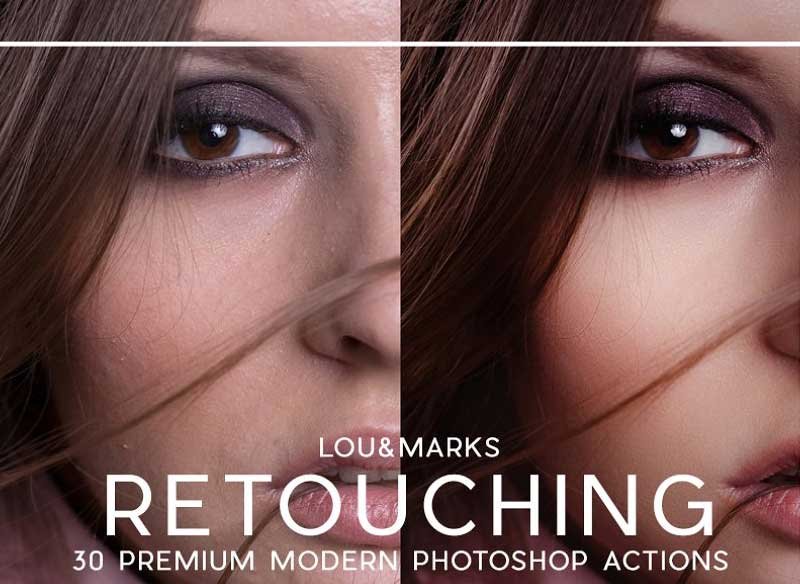
30 Professional Portrait Retching Photoshop Actions
Our handmade Photoshop actions are designed to look great on a wide variety of images. They help correct most issues you will have when retouching your portraits. Our Retouching Actions work all on skin tones. If you are looking to give your portrait photography a flawless or softened look or needing to retouch your boudoir or editorial work this product is perfect for you!
Non-destructive smart Actions can be applied no matter what layer you are on in your image. Frequency separation technology used to make our Best Airbrush Skin Action and our other Skin smoothing Actions help make retouching a portrait easier in Photoshop. Frequency separation works because it allows you to separate the texture of an image from the tone and color. When retouching you can focus on just the texture or the skin beneath it.
We have also included some finishing actions to give your image a nice peachy warmth and a high contrast finish as well as a subtle fade.
Some knowledge of Photoshop and layering is needed to accurately use these actions. You will need to do some adjusting of the opacity of the layer to get each action just right for your specific image.
I have been photographing and a freelance retoucher for 14 years, I created these actions to save me time and create consistent results in my client’s images.
© 2018, Lou & Marks, All Rights Reserved
Download 30 Pro Portrait Retouching Actions
The best Clip Studio Paint courses on Udemy in 2026, compared by skill level so…
AI changed what entry-level design work looks like, but it didn't remove the need for…
AI changed what entry-level design work looks like, but it didn't remove the need for…
Your pen pressure feels off, lines lag behind your hand, or the tablet barely registers…
Photoshop is a photo editor, not a drawing tool. Krita is free but complex. Procreate…
Hiring voice actors costs hundreds per session. Yet robotic text-to-speech kills the mood instantly. In…