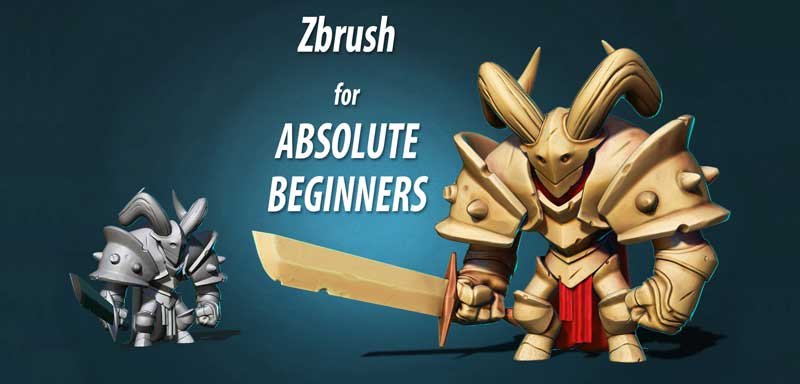
Welcome to Absolute Beginners Zbrush course by SpeedChar. My name is Niko and I am a 3D character artist with over 12 years of experience in the game industry. In this course, I will guide you through all the necessary Zbrush features and menus, to start sculpting your desired characters and bring them to life.
I will slowly and fully explain how to start using Zbrush, how to navigate the interface. The variuos things you need to know to model a head, horns, torso, armors, sword and even a cape, all in Zubrush. While we are working on our character, we will learn how to work with the most important Zbrush functions. I will not make this super complicated by going through everything in Zbrush. I will show you only the things you really need to know to make a fully finished high poly character. We will start by getting familiar with the basic interface and navigation in Zbrush. After that I will show you how to customize your workflow to work much faster again in Zbrush.
Then we will start the character from sphere, I will guide you through the process of starting your sculpt and add new elements to it, like horns, arms and body. After that we will create, and adjust the armor.
View free videos of this course here
Then we will create the legs and refine the arms. We will go trough the process of making the cape, and also add spikes to the armor. After that i will show you how to make a hard surface object in Zbrush, fast and efficient by making the sword.
Then you will learn how to add details on your model so it will look much more appealing. We will also paint the model so it will have better presentation. Following will be a breaf intro to posing the character, until it is time to go trough materials and light in Zbrush. After we apply and are happy with our materials and light setup, we can start rendering the character with Zbrush and then combining the passes in Photoshop, to achieve a professional look.
I created this course for people that wants to start digital modelling in the best industry standart program – Zbrush, but don’t know how. This is also for those artists, who whants to improve and help their drawing with a 3D base, or why not, become a digital sculptors. This is absolute beginners course, so it doesn’t require any previous knowledge of Zbrush or even Photoshop. Everything in this course is real time with constant commentary from me, and i can talk a lot! So don’t hesitate, but grab this course and upgrade yourself to the next few levels. Don’t forget that investing in yourself will benefit you for the rest of your life, so lets get started!
The best Clip Studio Paint courses on Udemy in 2026, compared by skill level so…
AI changed what entry-level design work looks like, but it didn't remove the need for…
AI changed what entry-level design work looks like, but it didn't remove the need for…
Your pen pressure feels off, lines lag behind your hand, or the tablet barely registers…
Photoshop is a photo editor, not a drawing tool. Krita is free but complex. Procreate…
Hiring voice actors costs hundreds per session. Yet robotic text-to-speech kills the mood instantly. In…