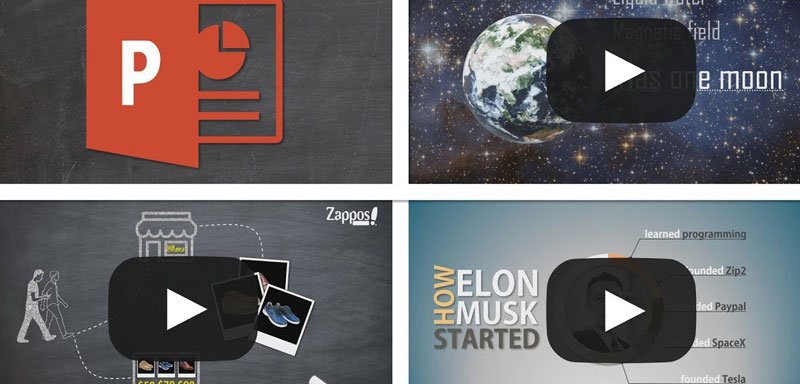
Video creation skills are becoming more and more important these days. Video content is growing fast, people prefer to watch videos for all kinds of purposes, and marketers are jumping on this trend. And while there is a lot of complex video software out there, you can actually create pretty beautiful videos with PowerPoint only!
The quality of PowerPoint videos is good enough for all kinds of informative/educational videos. These can be marketing videos for businesses, videos for online courses or for a YouTube channel for example. There are a lot of YouTube channels with millions of views that have their videos created with PowerPoint!
View free videos of this course here
So if you want to use video for business purposes, you don’t need fancy/complex software and long training anymore – You can use PowerPoint. And with the right techniques that I will teach you in this course, you can realize beautiful videos that will definitely look like “real videos” and not PowerPoint presentations.
This course is a full practice, full hands-on. We will create 3 videos together completely from scratch, and every single step will be clearly explained. By then end of it, you will master PowerPoint video creation and will be able to produce animated videos at will. And with more experience, you will become more efficient. It is totally possible to produce one video per day!
Creating a video with PowerPoint is a great compromise between the quality of the video (in terms of “complexity”) and the time it takes to do it. You can create hours and hours of video relatively fast compared to most specific software.
The best Clip Studio Paint courses on Udemy in 2026, compared by skill level so…
AI changed what entry-level design work looks like, but it didn't remove the need for…
AI changed what entry-level design work looks like, but it didn't remove the need for…
Your pen pressure feels off, lines lag behind your hand, or the tablet barely registers…
Photoshop is a photo editor, not a drawing tool. Krita is free but complex. Procreate…
Hiring voice actors costs hundreds per session. Yet robotic text-to-speech kills the mood instantly. In…