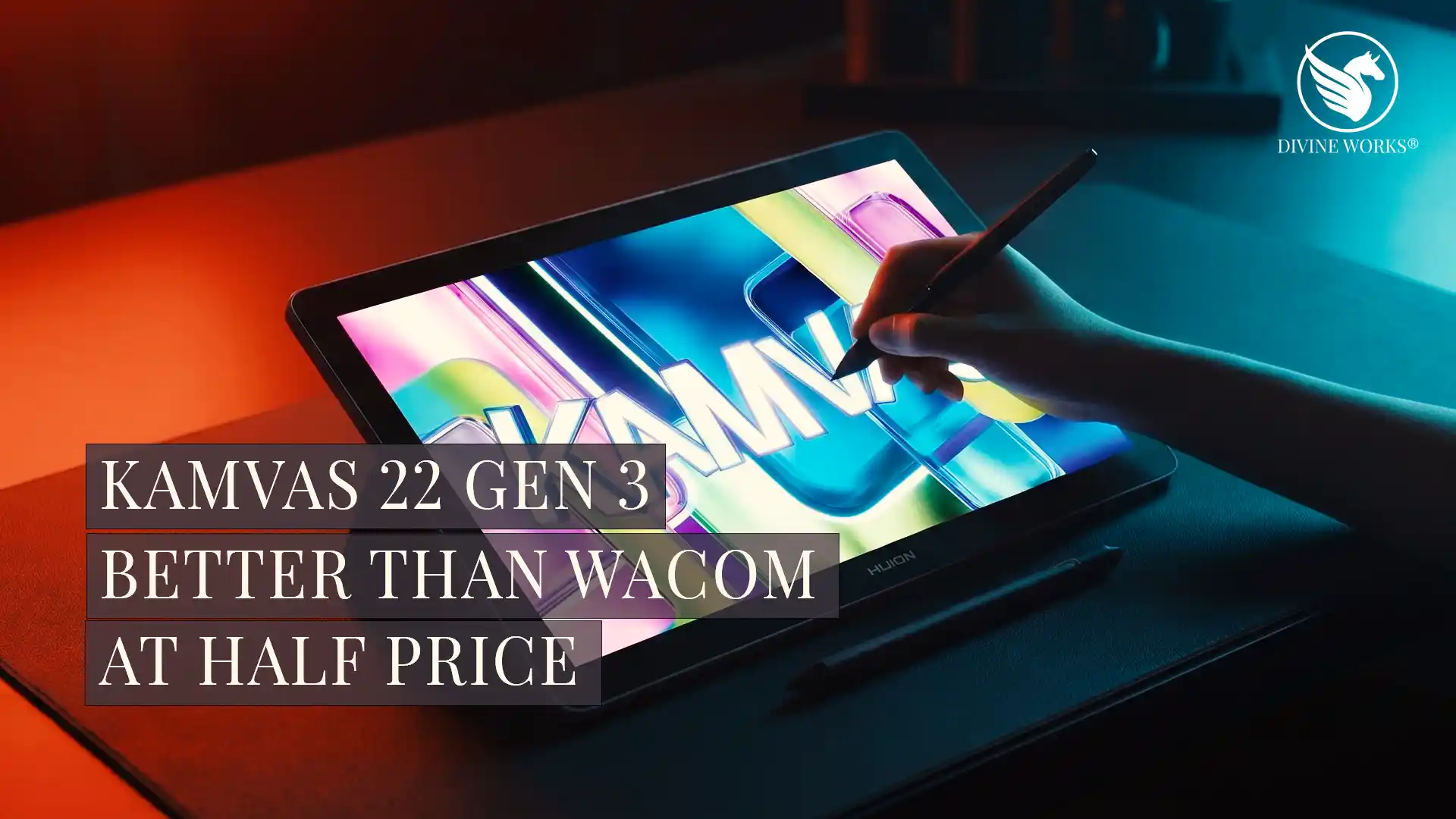
Huion Kamvas 22 Gen 3 Review — Is It Worth $599 in 2026?
The Huion Kamvas 22 Gen 3 delivers a 2.5K 90Hz pen display with PenTech 4.0 at $599 — a price point that genuinely redefines what mid-range drawing hardware can offer. An easy recommendation for any digital artist ready to work at full desk size.
📢 Disclosure: This post contains affiliate links. If you buy through my links, I may earn a small commission at no extra cost to you. All opinions are my own and based on real-world use.
For a long time, buying a quality pen display meant choosing between cramped screen real estate and a price that put it firmly in the “someday” category. The 16-inch options were affordable but limiting; the 24-inch pro displays cost as much as a used car. Huion has been steadily eliminating that problem with each generation — and with the Kamvas 22 Gen 3, released in March 2026, they have arguably done it.
Consequently, this review covers everything you need to decide whether the Kamvas 22 Gen 3 is the right upgrade for your studio — display quality, pen performance, software compatibility, real-world workflow, and whether the $599 price is genuinely justified against the competition.
Ready to order? Skip to the verdict.
The Kamvas 22 Gen 3 is in stock now at the Huion Official Store — includes pen, stand, cables, and 10 nibs.
Get the Kamvas 22 Gen 3 at Huion →Huion Kamvas 22 Gen 3 — Our Top Mid-Range Pick
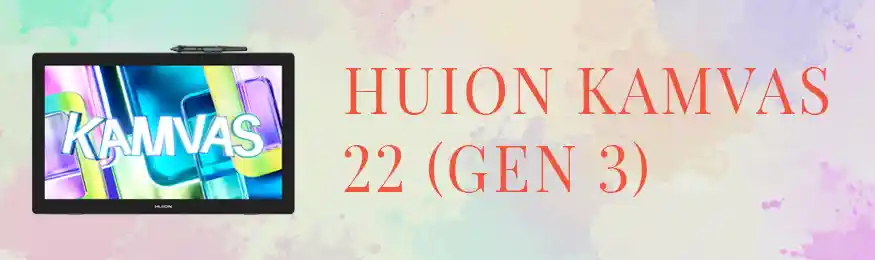
The Kamvas 22 Gen 3 is Huion’s best mid-range pen display — a 21.5-inch 2.5K screen running at 90Hz, paired with PenTech 4.0 and Canvas Glass 2.0. It includes the pen, adjustable stand, cables, and 10 replacement nibs. Compatible with Windows, macOS, and Linux.
Who Is the Huion Kamvas 22 Gen 3 For?
The Kamvas 22 Gen 3 is a pen display — a drawing tablet with a built-in screen — designed to serve as a primary creative workstation for digital artists, illustrators, and graphic designers. Unlike screenless tablets where you draw on a surface while looking at your monitor, a pen display lets you draw directly on the image. As a result, the experience feels far closer to traditional drawing and reduces the hand-eye coordination barrier significantly.
This tablet is specifically a strong fit for the following types of creators:
- Digital illustrators and concept artists who have outgrown a screenless tablet and want to draw on a large surface
- Graphic designers who need a dedicated display for logo work, detailed vector work, or retouching
- Animators who need smooth, frame-accurate stylus response for character animation and storyboarding
- Photo retouchers who want pen precision for masking and detailed colour work
- Art students and recent graduates setting up their first proper home studio
- Freelancers upgrading from a 13–16 inch pen display who need more screen space without pro-display pricing
Full Specifications
| Screen Size | 21.5 inches |
| Resolution | 2560 × 1440 (2.5K QHD) |
| Refresh Rate | 90Hz |
| Panel Type | LCD with Canvas Glass 2.0 (AG+AF coating) |
| Colour Coverage | 100% sRGB · 89% AdobeRGB · 94% DCI-P3 · 85% NTSC |
| Max Brightness | 217 nits |
| Pen Technology | PenTech 4.0 |
| Pressure Levels | 16,384 |
| Tilt Recognition | ±60 degrees |
| Pen Latency | Ultra-low (battery-free stylus) |
| Connectivity | USB-C · USB-A + HDMI |
| Compatibility | Windows · macOS · Android (select) · Linux |
| Retail Price | $599 / £649 / AU$999 |
| In the Box | Pen · Stand · Cables · 10 replacement nibs |
Display Quality — 2.5K at 90Hz
The jump from 1080p to 2.5K is immediately noticeable in daily use. Fine linework, detailed typography, and complex vector paths all render with considerably more sharpness — which matters most when you are zoomed out to 50% or lower on a large canvas. Furthermore, the 90Hz refresh rate makes fast sketching feel genuinely fluid rather than slightly lagged, which has a meaningful effect on how natural the drawing experience feels over long sessions.
Canvas Glass 2.0 is Huion’s anti-glare and anti-fingerprint coating, and it strikes a better balance than earlier iterations. Specifically, it reduces reflections without the milky or matte washout effect that plagued some previous Huion glass surfaces. Colour accuracy is strong: 100% sRGB coverage means colours render reliably for screen-output work, and the 89% AdobeRGB coverage is sufficient for most print workflows. The 217 nit peak brightness is adequate for controlled studio environments, though it may feel limiting in very bright rooms.
Pen Performance — PenTech 4.0
PenTech 4.0 is Huion’s most refined pen technology to date, and it shows in the pressure response. The 16,384 levels of pressure sensitivity — double the 8,192 found in previous Huion generations — result in a noticeably more gradual and natural transition between light and heavy strokes. Moreover, the battery-free stylus eliminates any latency or weight issues associated with charged pens, which makes extended drawing sessions more comfortable. Additionally, the ±60° tilt recognition handles hatching and shading accurately, responding consistently across the full tilt range.
In practical terms, the pen performs comparably to Wacom pens at a significantly lower overall cost. Professional illustrators who have reviewed the Gen 3 hardware consistently note that the pressure curve feels predictable and trustworthy — which is the most important quality in a pen display stylus.
Pros and Cons
✔ What Works
- 2.5K resolution is a genuine upgrade — noticeably sharper for detail work
- 90Hz makes fast sketching feel smooth and natural
- PenTech 4.0 pressure curve is the most natural Huion has produced
- Canvas Glass 2.0 reduces glare without washing out colour
- 21.5-inch area fits reference and canvas side by side
- Significantly undercuts comparable Wacom models on price
- Strong colour coverage for both screen and print work
✘ Worth Knowing
- 217 nit brightness adequate indoors — limiting in bright environments
- No built-in computing — requires a host computer
- Included stand has limited angle adjustment
- Not a standalone device — display only
Software Compatibility
The Kamvas 22 Gen 3 works with virtually every major creative application out of the box. Huion’s driver software is stable on both Windows and macOS, and it is updated regularly. In addition, the pen is recognised as a standard pressure-sensitive input device by all major creative applications. Consequently, there is no compatibility configuration required for most workflows.
Applications confirmed to work without issues include Adobe Photoshop, Adobe Illustrator, Clip Studio Paint, Procreate for Mac, Affinity Designer, Affinity Photo, Krita, Blender, and DaVinci Resolve. Moreover, for digital artists who use Procreate alternatives on Windows, the Kamvas 22 Gen 3 pairs perfectly with Clip Studio Paint and Krita.
5 Ways Digital Artists Use the Kamvas 22 Gen 3
Character Illustration and Concept Art
The large 21.5-inch drawing area and 90Hz refresh rate make this a natural fit for concept artists who need to sketch quickly and refine precisely in the same session. Moreover, the extra screen space means reference images stay visible without constant window switching.
Professional Photo Retouching
Photographers use the Kamvas 22 Gen 3 as their primary retouching display — the 16,384 pressure levels allow extremely fine masking and detailed dodging and burning work that a mouse simply cannot replicate.
Logo and Vector Design with Reference Open
The extra screen real estate means designers can have a client’s brand reference on one side and their Illustrator workspace on the other — eliminating the constant window switching that disrupts creative flow on smaller displays.
Frame-by-Frame Animation
Animators using Clip Studio Paint or Adobe Animate appreciate both the fluid pen response and the smooth 90Hz display, which makes reviewing animation playback more accurate than at standard 60Hz.
Colour-Critical Editing for Etsy and Print
With 89% AdobeRGB and 94% P3 coverage, designers working on print or screen output use the Kamvas 22 Gen 3 as a calibrated creative display for colour grading and brand colour work — particularly useful for Etsy sellers creating print-on-demand products.
Ready to Upgrade Your Drawing Setup?
The Kamvas 22 Gen 3 is available now at the Huion Official Store. Includes the pen, stand, cables, and 10 replacement nibs — everything you need to start drawing the same day.
Get the Kamvas 22 Gen 3 at Huion →Kamvas 22 Gen 3 vs Kamvas 16 Gen 3 — Which Should You Choose?
The most obvious difference between these two tablets is screen size — 21.5 inches vs 15.8 inches — but the Gen 3 designation also introduces the 2.5K panel and 90Hz refresh rate as upgrades over the standard 1080p/60Hz found on the 16-inch model. Furthermore, the 22-inch model gives you enough screen space to keep reference images and application palettes visible alongside your canvas at all times, which meaningfully changes how efficiently you work.
The Kamvas 16 remains the better choice if portability or limited desk space is the constraint. However, if you work at a fixed desk setup and want your drawing tablet to also function as your primary creative display, the Kamvas 22 Gen 3 is the more capable and productive choice. For a full comparison of Huion against Wacom across all price points, see our Huion vs Wacom comparison guide.
Frequently Asked Questions
Does the Huion Kamvas 22 Gen 3 work with a Mac?
Is the pen pressure responsive enough for professional illustration?
Can the Kamvas 22 Gen 3 be my only display?
What software does the Kamvas 22 Gen 3 work with?
Is $599 good value for this specification?
How does the Kamvas 22 Gen 3 compare to the Kamvas 16 Gen 3?
Kamvas 22 Gen 3 vs Wacom Cintiq 22 — Which Is Worth the Money?
The most common question buyers ask before purchasing the Kamvas 22 Gen 3 is how it compares to the Wacom Cintiq 22 — the closest competitor in this screen size category. The answer is straightforward on price but more nuanced on workflow.
| Huion Kamvas 22 Gen 3 | Wacom Cintiq 22 | |
|---|---|---|
| Price | $599 | ~$1,199 |
| Screen Size | 21.5 inches | 21.5 inches |
| Resolution | 2.5K (2560×1440) | 1080p (1920×1080) |
| Refresh Rate | 90Hz | 60Hz |
| Pressure Levels | 16,384 | 8,192 |
| Colour Coverage | 100% sRGB, 89% AdobeRGB | 96% sRGB, 73% AdobeRGB |
| Included Accessories | Pen, stand, cables, 10 nibs | Pen only (stand sold separately) |
| Verdict | Better specs at half the price | Industry trust, higher cost |
The Kamvas 22 Gen 3 wins on every measurable specification — higher resolution, higher refresh rate, double the pressure levels, and better colour coverage — at exactly half the price. The only genuine argument for the Cintiq 22 in 2026 is Wacom’s established driver stability and ecosystem trust, which matters in high-end professional studio environments where downtime has a real cost. For individual creators, freelancers, and digital artists, the Kamvas 22 Gen 3 represents far better value.
Should You Buy the Huion Kamvas 22 Gen 3?
Buy it if: You are a digital artist, illustrator, graphic designer, or animator who wants a large-format drawing display at a price that doesn’t require saving for a year. The 2.5K 90Hz display and PenTech 4.0 pen perform above what $599 has historically bought in this category. Furthermore, if you are currently working on a screenless tablet or a 13–16 inch display and feel limited by the size, the upgrade to 21.5 inches will be immediately and substantially felt in your daily workflow.
Skip it if: You work in a bright environment where 217 nit brightness may fall short, you need a fully portable tablet, or your studio is already built around the Wacom ecosystem and driver switching is a concern. In those specific cases, the tradeoffs may outweigh the cost savings.
For the vast majority of digital artists at the $599 budget, the Kamvas 22 Gen 3 is the clearest recommendation in its category right now.
Get the Kamvas 22 Gen 3 — Best Price at Huion Official Store
In stock now. Includes the pen, adjustable stand, all cables, and 10 replacement nibs. Ships from Huion directly.
Get the Kamvas 22 Gen 3 at Huion →Learn Digital Illustration and Graphic Design on Udemy
A great drawing tablet is only the beginning. Udemy has top-rated courses in Clip Studio Paint, digital illustration, character design, and Etsy product creation — most available for under $20. Start learning the skills that make your new hardware pay for itself.
Browse Digital Art Courses on Udemy →Final Verdict — Is the Huion Kamvas 22 Gen 3 Worth It?
The Huion Kamvas 22 Gen 3 arrives at exactly the right moment for designers who have been holding off on a large-format pen display because the cost-to-quality ratio never quite felt right. At $599, Huion is not just offering a cheaper alternative to the premium competition — they are offering a genuinely competitive product that reviewers across the board have described as performing well above its price tier.
Furthermore, the combination of a 2.5K 90Hz panel, PenTech 4.0 stylus, and Canvas Glass 2.0 surface makes this the most capable mid-range pen display Huion has ever produced. Moreover, if you are a working designer or illustrator who spends hours each day at your computer and has been running on a small or screenless tablet, the Kamvas 22 Gen 3 is a studio upgrade that will be immediately felt in your daily workflow.
In addition, it pairs perfectly with the drawing software we recommend on DivinеWorks — particularly Clip Studio Paint on Windows — making it a complete solution for any digital artist who wants to work at full desk scale without switching to Apple hardware.
Huion Kamvas 22 Gen 3 — DivinеWorks Recommended
Available now at the Huion Official Store. Includes pen, stand, cables, and 10 replacement nibs. One of the most compelling hardware recommendations at this price point right now.
Get the Kamvas 22 Gen 3 at Huion →You Might Also Like
- Huion Kamvas 16 Gen 3 Review — The compact alternative reviewed in full.
- Huion vs Wacom — Full Comparison — Which brand is right for your budget and workflow?
- 7 Best Procreate Alternatives for Windows — The best software to pair with your new tablet.
- Best Clip Studio Paint Brushes on Creative Market — Upgrade your brush library once your setup is ready.